Sage Bionetworks Design System
Advancing the Mobile Digital Health Design System by creating components and designing pages for the design system website.
design system
ux internship
About Sage Bionetworks
Sage Bionetworks is a non-profit bioinformatics organization that aims to develop and apply open practices to data-driven biomedical research for the advancement of human health.
Role
UX Design Intern, Design Systems
June - September 2019
Responsibilities
Create design system components
Improve open-source design system
During the Summer of 2019 I had the opportunity to intern at Sage Bionetworks. My time during the internship was spent on the early stages of a mobile digital health design system. This design system enables scientists and researchers to efficiently create mobile digital health applications for rich, accurate, and consistent data collection.
When I started, Sage Bionetworks had several digital health applications being used to gather research data, but the digital health design system was not ready to make those applications cohesive and repeatable. I first had to “componentize” (create components and assets) the applications in Figma and then recreate them using only components to guarantee all situations (even responsiveness for different device sizes) were accounted for in every application. This took up a good chunk of time, but the results were worth it.
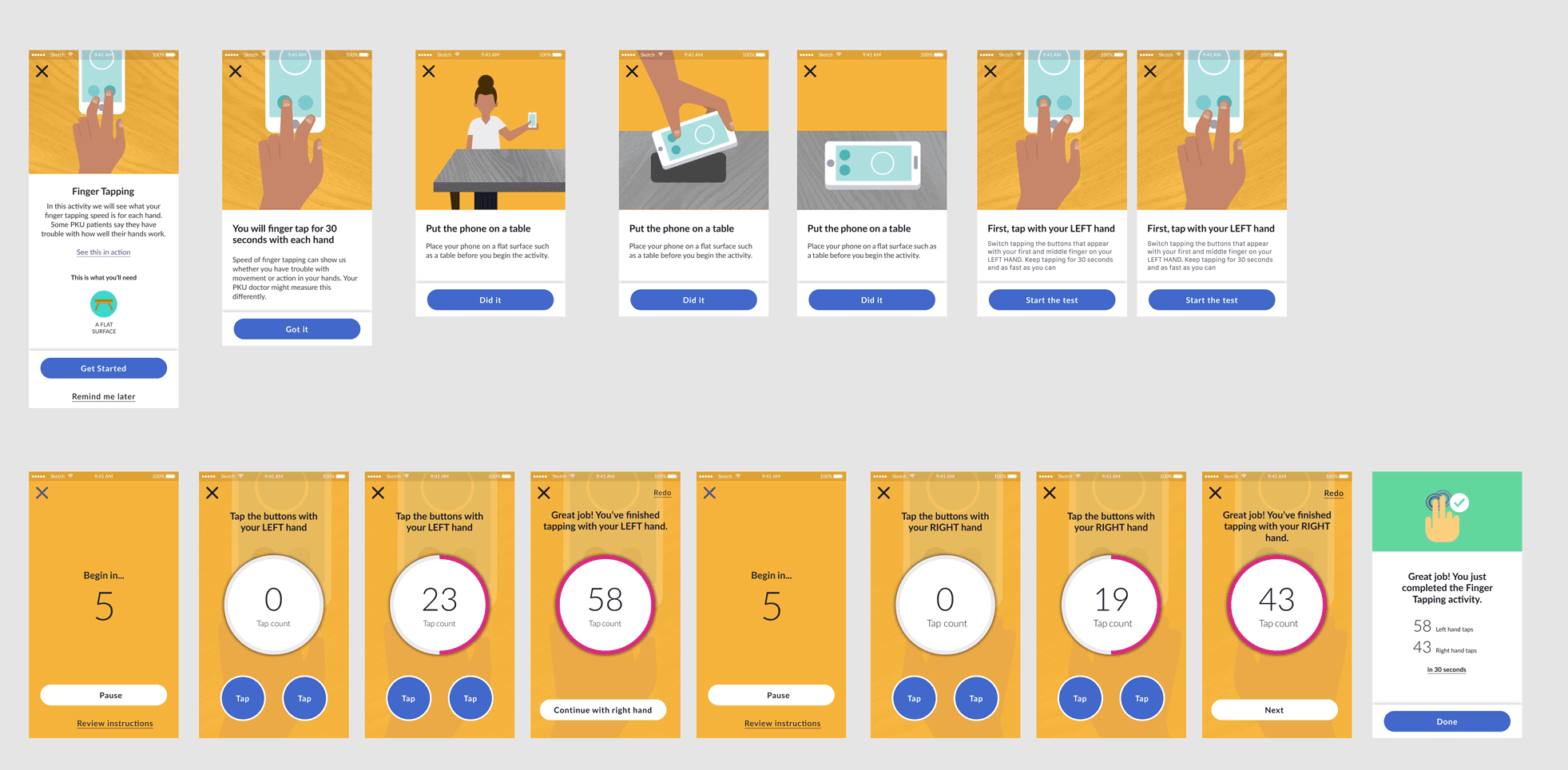
A digital health application created by Sage Bionetworks.
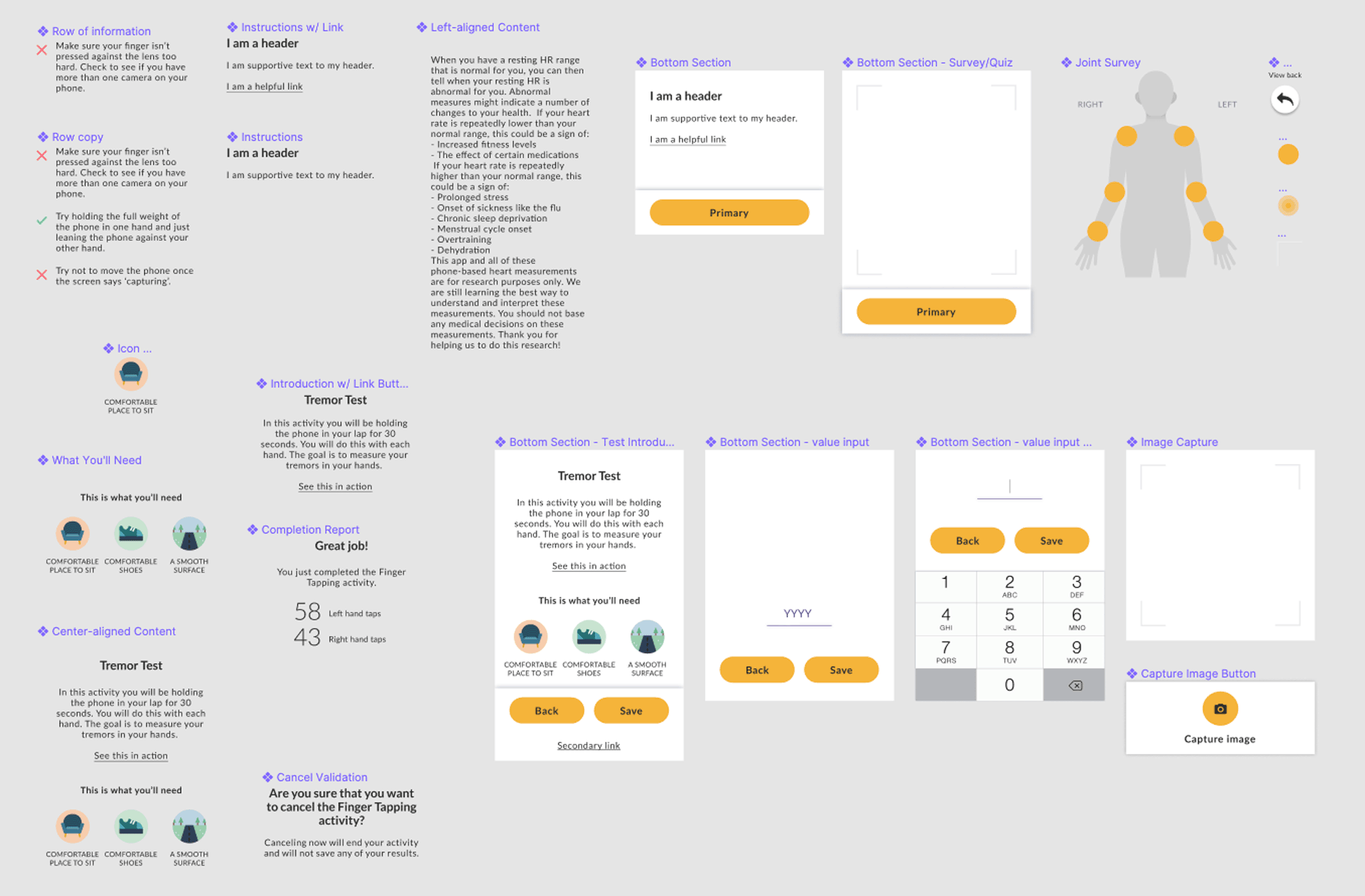
Example of components generated from Sage Bionetwork’s digital health applications.
Example of components generated from Sage Bionetwork’s digital health applications.
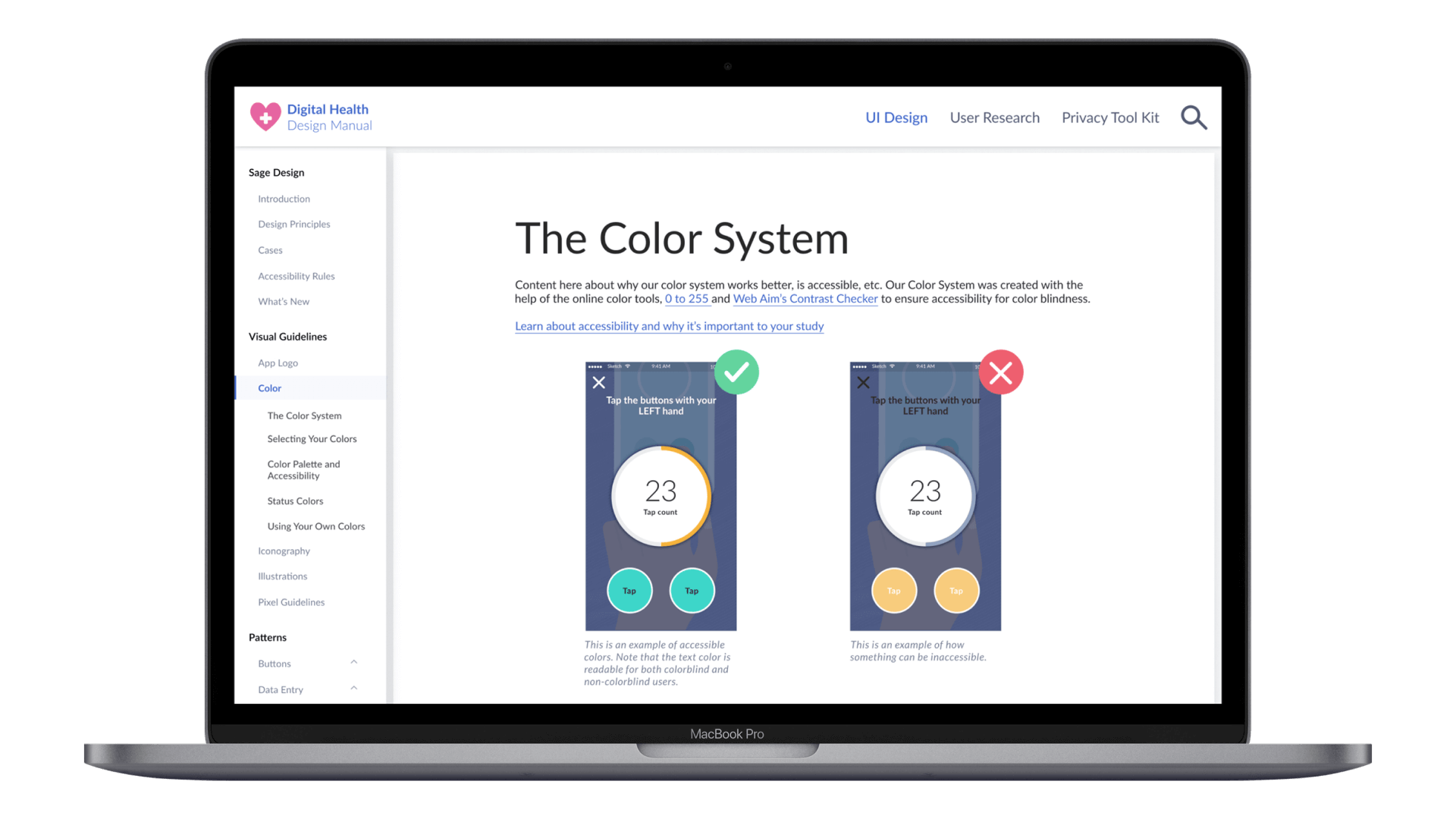
I created new design components for the website and documented how to use them. To learn more about design system layouts and documentation, I looked at popular systems like Google's Material Design, Apple's Human Interface Guidelines, and Microsoft's Fluent. The two pages I worked on were the Color System and the Bottom Section.
To evaluate the success of my designs and content, I facilitated 7 remote interviews with internal research scientists at Sage Bionetworks and University affiliates of Sage who currently research with and create digital health applications.
Content clarity
Proper application of knowledge
Clarity of information hierarchy
Ease of navigation
After the first 3 interviews, there were obvious changes that needed to be made to the initial designs. I decided to quickly evaluate the first 3 interviews, rapidly iterate on the design, and finish the last 4 interviews with the updated design. The interviews were analyzed and coded into 3 main themes: Knowledge, Speed, and Guidance.
Users want to understand certain terms, like accessibility, and learn why they are important to their study.
Users liked the wealth of information, but would not read it all. Users want to quickly and correctly apply this new information.
Users found the manual interesting and would use it, but many weren’t sure how to begin.
Show which color tools are available, why we used them, and what benefit they provide.
Make directions clear and concise. Provide visual (diagram, video, gif) examples whenever possible.
Include a color library of color swatches.
For quicker color selection, clarify what colors are available for primary, secondary, and accent instead of just providing the color palette.
Teach users what accessibility means, why you should care about it, and how our solution solves the problem.
Make the HEX codes selectable by using text block instead of an image.
More clearly connect swatches and their accessible text colors.
Constrain color usage for the Success and Error colors for simplicity.
Provide more guidance on how to select accessible text colors.
Provide guidance for how to use color tools, such as the contrast checker, to allow for use in their projects.
Initially, we created a design system page called the "Bottom Section" to provide users with all the necessary components to create their own digital health applications. However, during user interviews, we realized that the name was confusing, and I questioned the purpose of the page itself. As one of Sage Bionetworks' design principles is to "Do the hard work so the users don't have to," I reprioritized the design system, to focus on complete digital health assessment applications and screen templates that research scientists and developers could use easily. Although we shifted the focus of the design system, the prior research we conducted was still helpful. Some implemented feedback includes:
• Improve mapping of redlines and supporting examples to increase clarity
• Include more rules for elements (examples: character limit, type of language, on-off states, etc.)


Reflection
The design system project was a great first project because it taught me about systems thinking and the importance of considering small design decisions that impact the user's experience as well as the overall user experience. The internship provided valuable real-world design experience, where I collaborated with other team members including designers, project managers, developers, and researchers. I learned important skills such as effective communication and working with team members, design-thinking related to design systems, and using design tools such as Figma and After Effects. Additionally, I even learned how to make a delicious cup of coffee!
Next Steps
As my work on the design system project was nearing completion, I recognized that the product required further development. I recommend conducting preliminary research and prototyping for the complete digital health assessment applications, completing the documentation for components and new pages, and performing user testing for the latest designs with other digital health app developers and research scientists.
.png)

